Hours in. Payroll and invoices out.
For any team that works across several clients or runs its books in Xero. Recorded on the phone, exported by person and by client.
- Works with no signal
- Connects to Xero
- Pay only for people recording hours
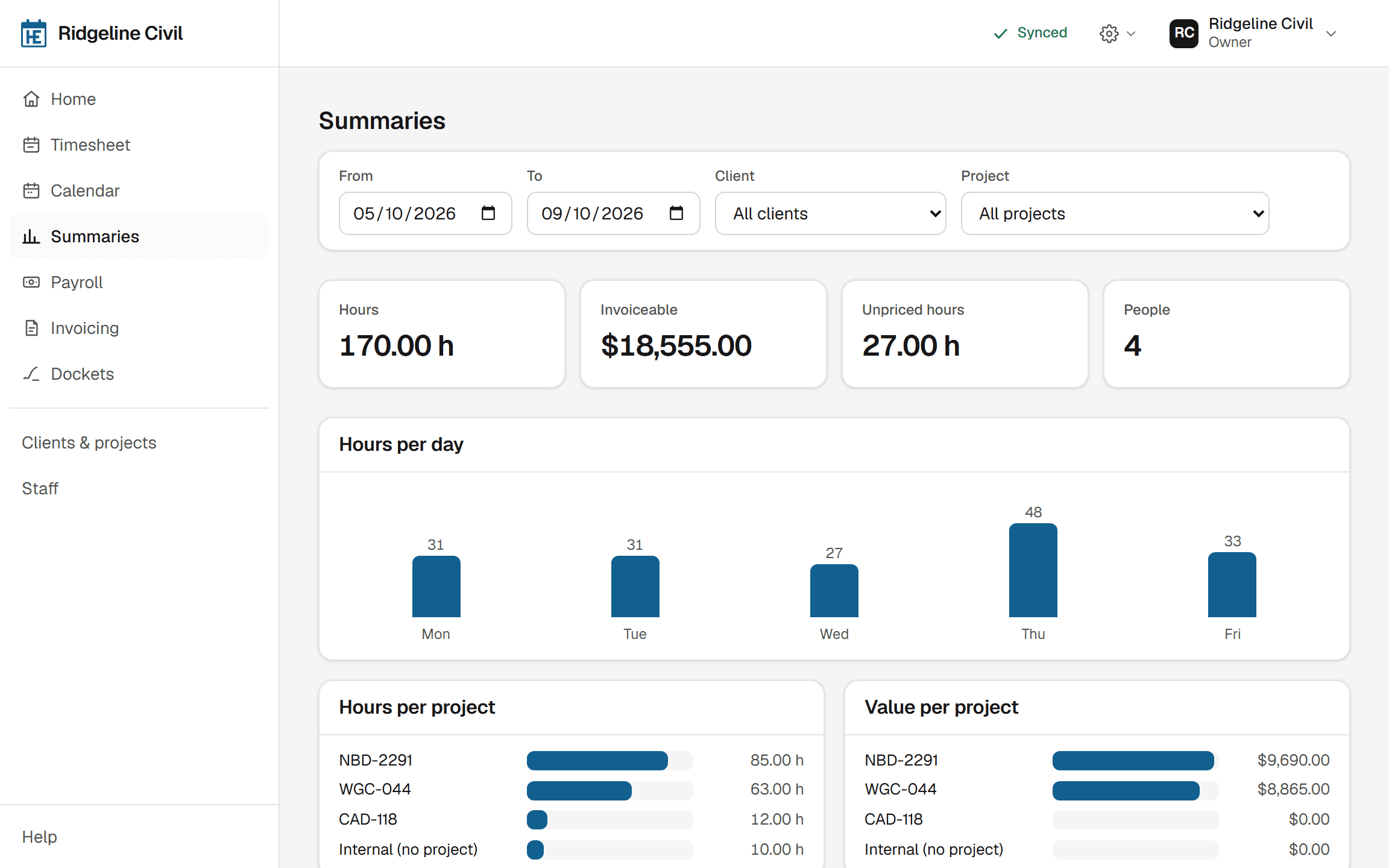
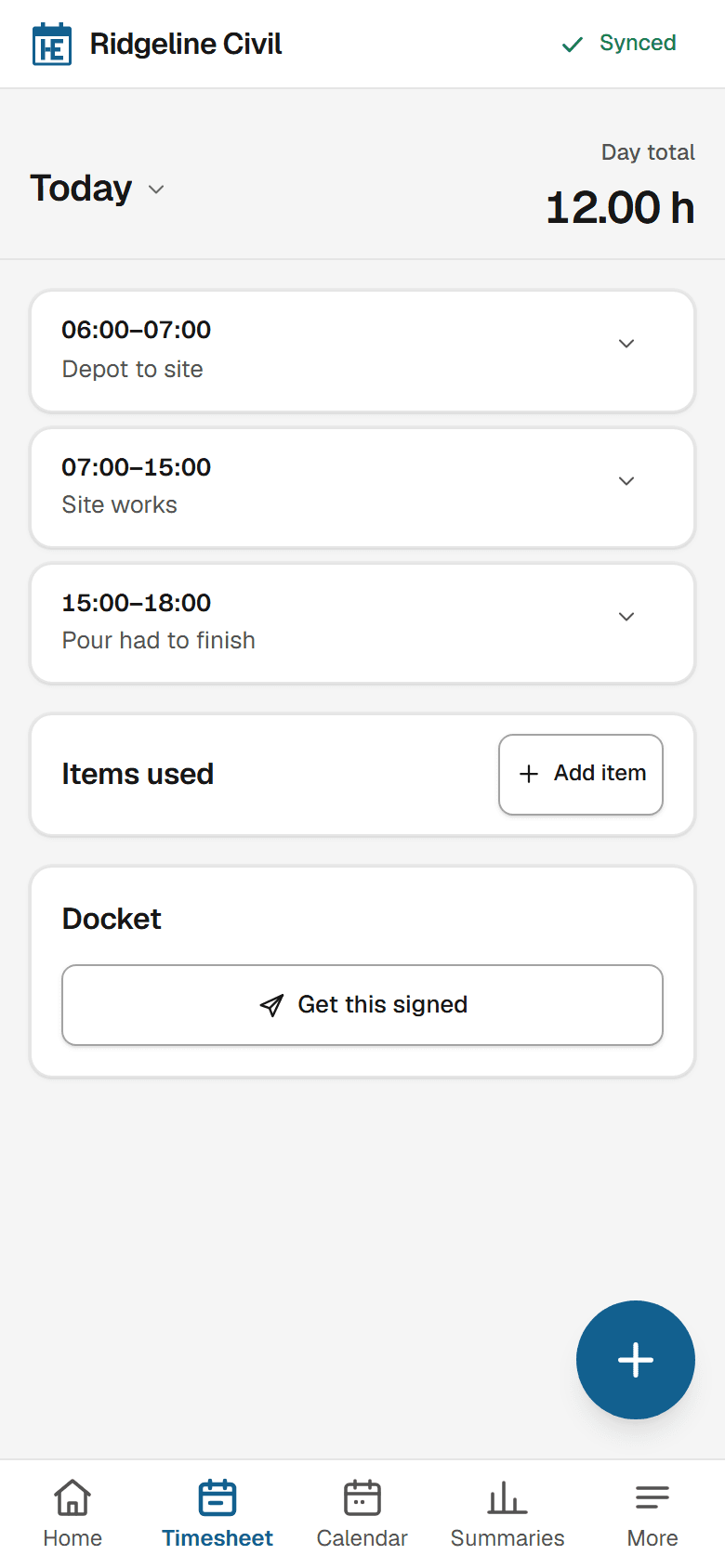
From a phone with no signal to drafts in Xero.
- Free plan
- 2 people
- No card needed
- Paid plans
- 30 days
- Free trial, cancel any time
- Records stored in
- Sydney
- Never sold or used for training
- Export
- CSV and PDF
- On every plan, Free included
Three steps. No spreadsheet.
Step 1: Your people record hours on their phone
Against a client or project, with what they used. Works with no signal.
Step 2: The client signs, if they need to
On your phone or by a link. The docket shows hours, never prices.
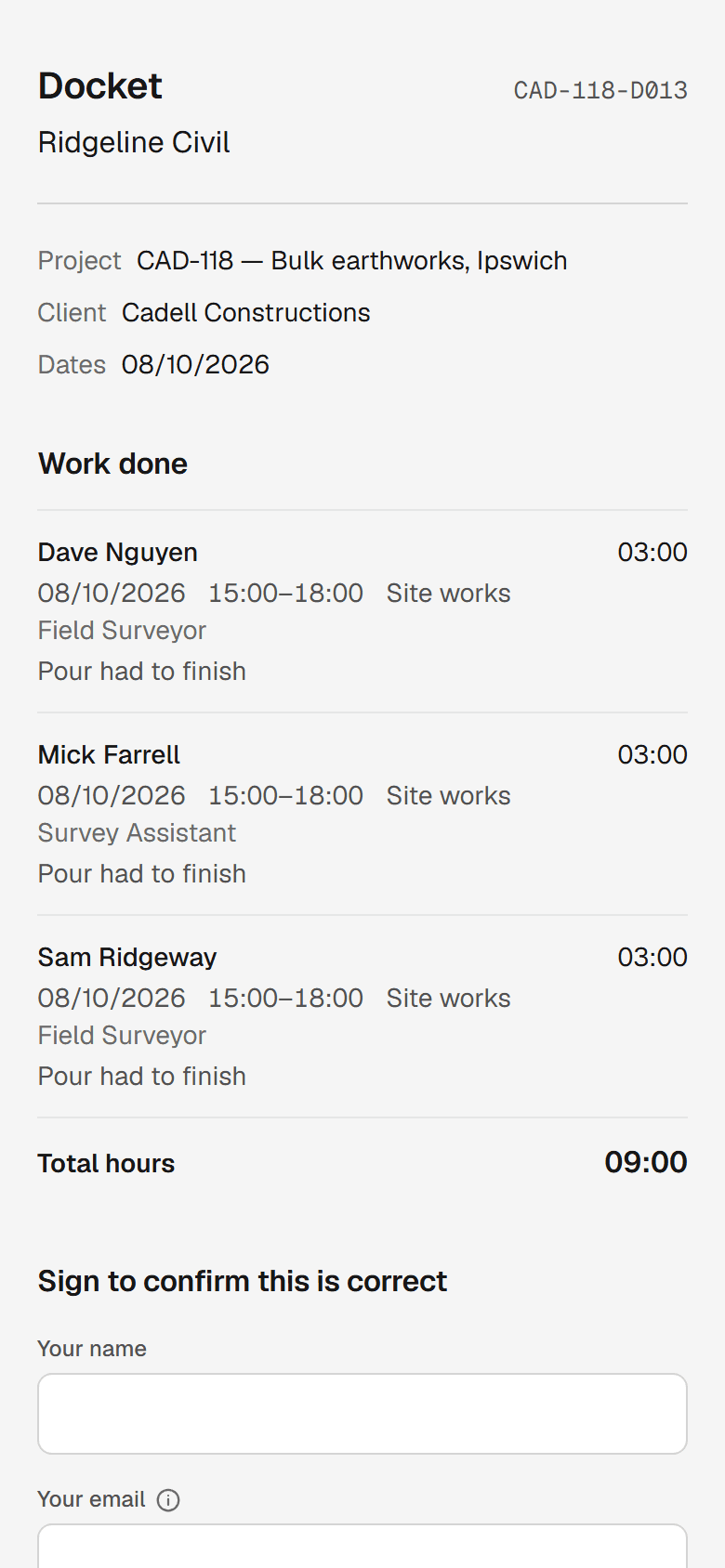
Step 3: The office exports approved hours
By person for payroll and by client for invoicing, as CSV or PDF.
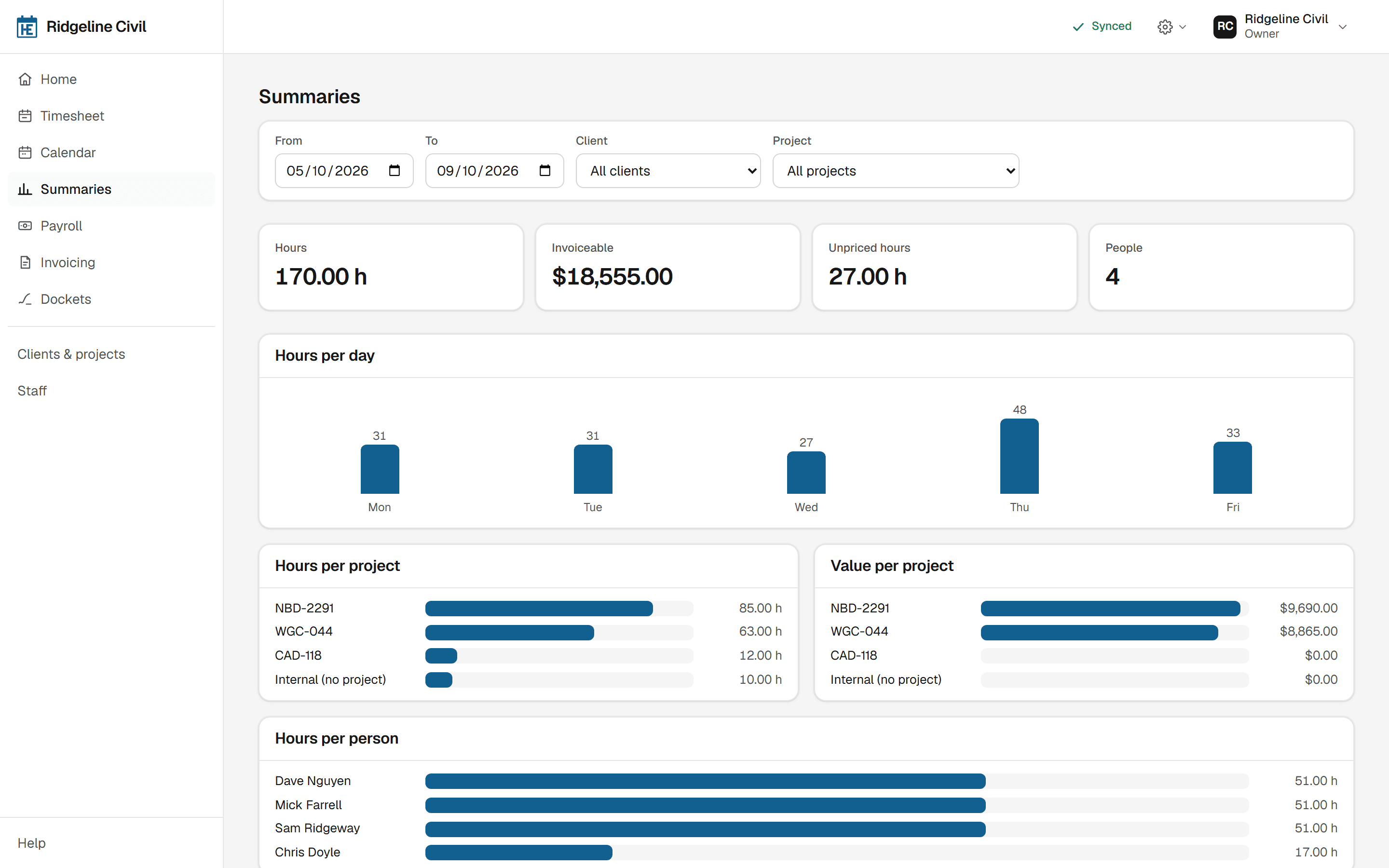
One approved period, two exports.
Payroll and invoicing group hours differently. HoursEasy does both from the same entries.
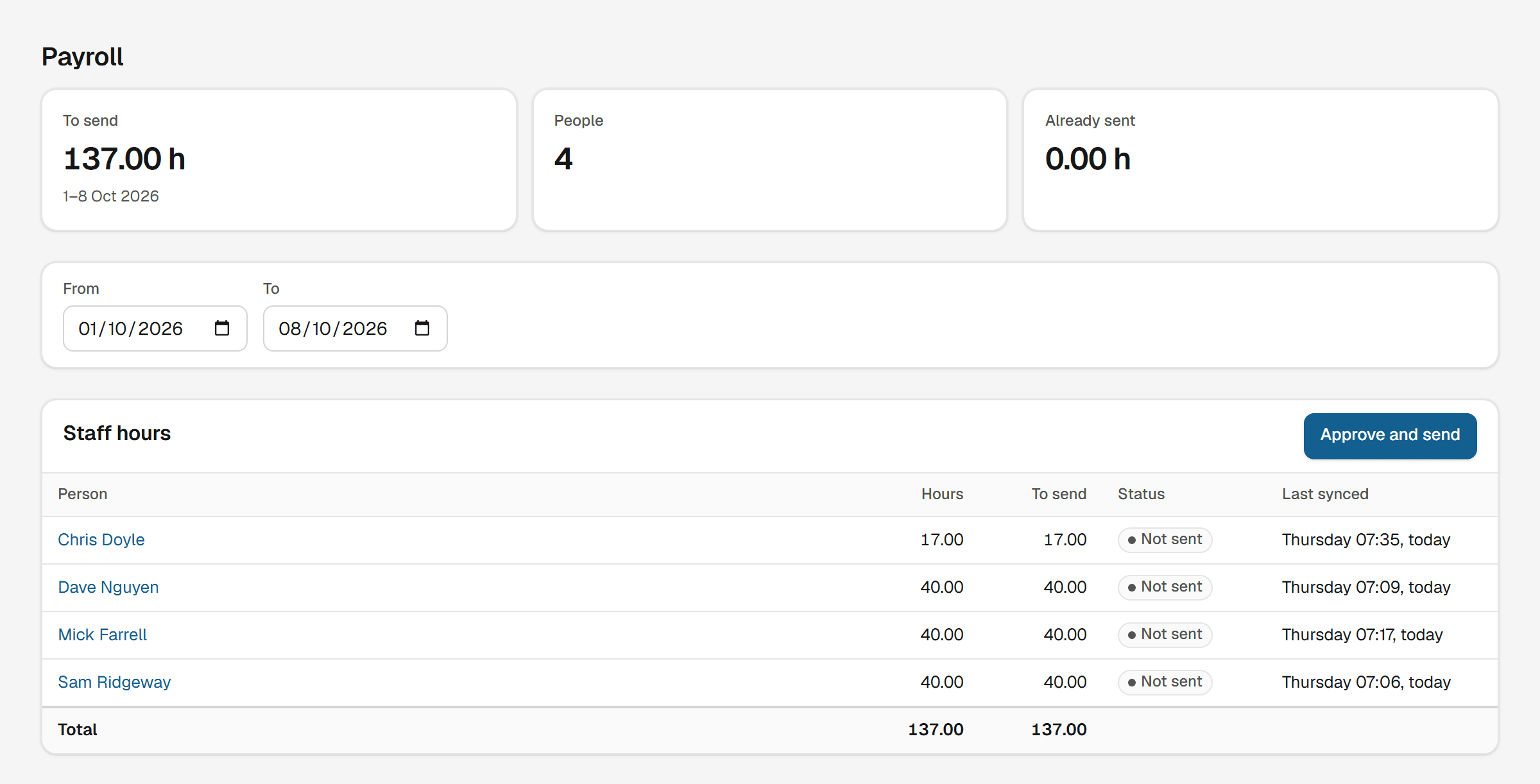
By person, for payroll
Approved hours per person, ready for your pay run.
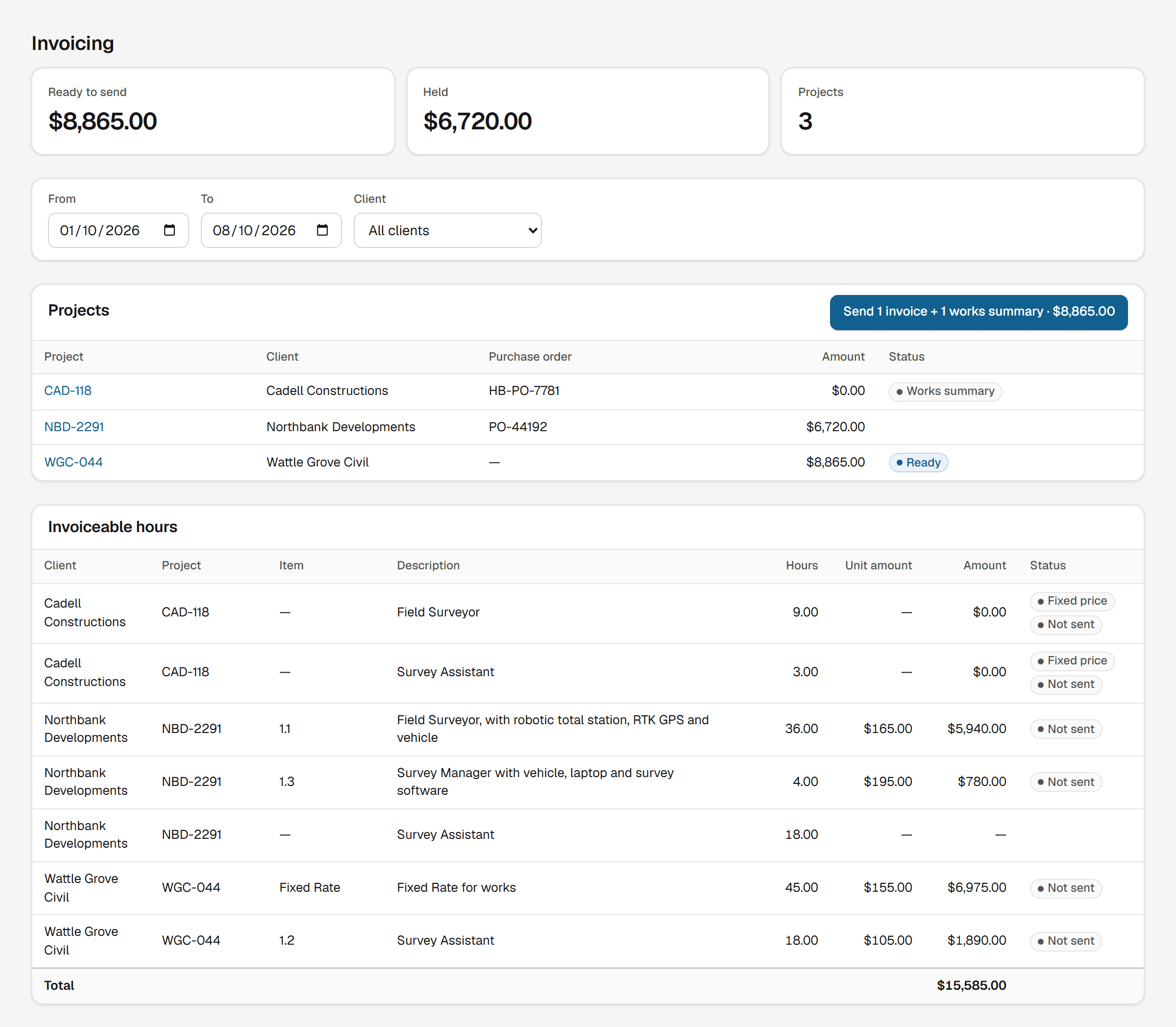
By client, for invoicing
Hours and items per project, priced from its own rate table.
A plain CSV on every plan, for everything else.
Hours that hold up when somebody asks.
Signed where the work happened
The signature sits on the hours it covers, not in a pile of paper.
Late hours still arrive
A signed docket never locks the week. Monday’s hours can sync on Friday.
Disagreements are flagged
If a signed figure changes later, the office sees it.
Rates freeze at approval
A pay rise in June cannot rewrite April’s invoice.
Non-chargeable time stays off the invoice
Not chargeable hours still count toward pay. Unpaid breaks don’t.
One itemised summary
Hours and the items used, priced and branded, as PDF or CSV.
Not payroll software.
Award interpretation, PAYG, super and STP stay in Xero or MYOB.
Pricing
Counted on the people recording hours. Free for the first two.
Crew
One team, off the spreadsheet.
$45per month plus GST
- Up to 5 people recording hours
- HoursEasy mark on dockets and hour summaries
Team
Most teamsA growing team, with your name on the paperwork.
$79per month plus GST
- Up to 10 people recording hours
- Your own logo on dockets and hour summaries
Site
Several teams, and a bookkeeper in Xero.
$139per month plus GST
- Up to 20 people recording hours
- Your own logo on dockets and hour summaries
Fleet
A whole workforce recording hours.
$249per month plus GST
- Up to 40 people recording hours
- Your own logo on dockets and hour summaries
Custom
More than 40 people recording hours
Your own logo on dockets and hour summaries, at a price we agree with you.
Every plan includes
- Connects to Xero for payroll and invoicing
- Hours on the phone, with or without signal
- Client sign-off on dockets, by a link they open on a phone
- Photos on timesheet lines
- Materials and other items logged against the job
- Rate tables per project, fixed-price or hourly
- Payroll export by person, invoicing by client
- Itemised works summaries as PDF or CSV
- Leave requests and a team calendar
- Signed dockets emailed to the client and your office
Free.
Everything above for one or two people recording hours, with the HoursEasy mark on your dockets. A third person moves you to Crew. No card needed.- Prices are in Australian dollars per month and exclude GST, so Crew at $45 a month is charged as $49.50. Pay annually and you get two months free.
- You pay for each person set up to record hours, and every invitation starts with a seat. An administrator who records no hours can be archived to free it and still sign in.
Questions
We are not a construction business. Is this for us?
Yes. If people record hours that end up in payroll or on an invoice, it fits. The site-work features stay out of the way until you need them.
We already use a docket app. Why this?
A docket app gets a signature onto a piece of work. HoursEasy carries it through to hours totalled for payroll, the part usually still done in a spreadsheet.
Does it do payroll?
No, and it never will. It produces approved hours for your accounting software, which handles award interpretation, PAYG, super and STP.
Who do we pay for?
The people who record hours, owners included, and every invitation starts with a seat. Make a bookkeeper an administrator, then archive them after their first sign-in: that frees the seat and keeps their access.
Does it work where there is no signal?
Yes. Hours, items and signatures are saved on the device and sent when a connection comes back.
Is there an app to install?
It installs from the browser onto the home screen. No app store, and the camera and signature capture both work.
Can I get my data out?
Every summary exports as CSV and PDF on every plan. No export fee and no notice period.
What if we have more than forty people recording hours?
Talk to us. Above forty, the price is agreed with you.
Get this fortnight’s hours out of the spreadsheet.
Start free for up to two people with no card, or try any paid plan for thirty days.